Mizan BLE: a Payment Between an iPad and an iPhone over Bluetooth
Mizan BLE is a proof of concept in which an iPad at the till and a payer's iPhone agree a payment over Bluetooth Low Energy. What it is, which device plays which Bluetooth role, and how the four characteristics of one service carry a whole transaction.
Some bank apps let you pay at a till by holding your phone near it: no QR code, no card, no tapping through a list of devices. The phone finds the till on its own, shows the amount, and you confirm. I wanted to know how much of that an ordinary iOS app can do over Bluetooth Low Energy, with no special entitlement and no hardware but an iPad and an iPhone.
Mizan BLE is the result: one app with two modes, built to answer that question. It is a proof of concept, not a payment system. The payment is mocked; no money moves.
Two modes
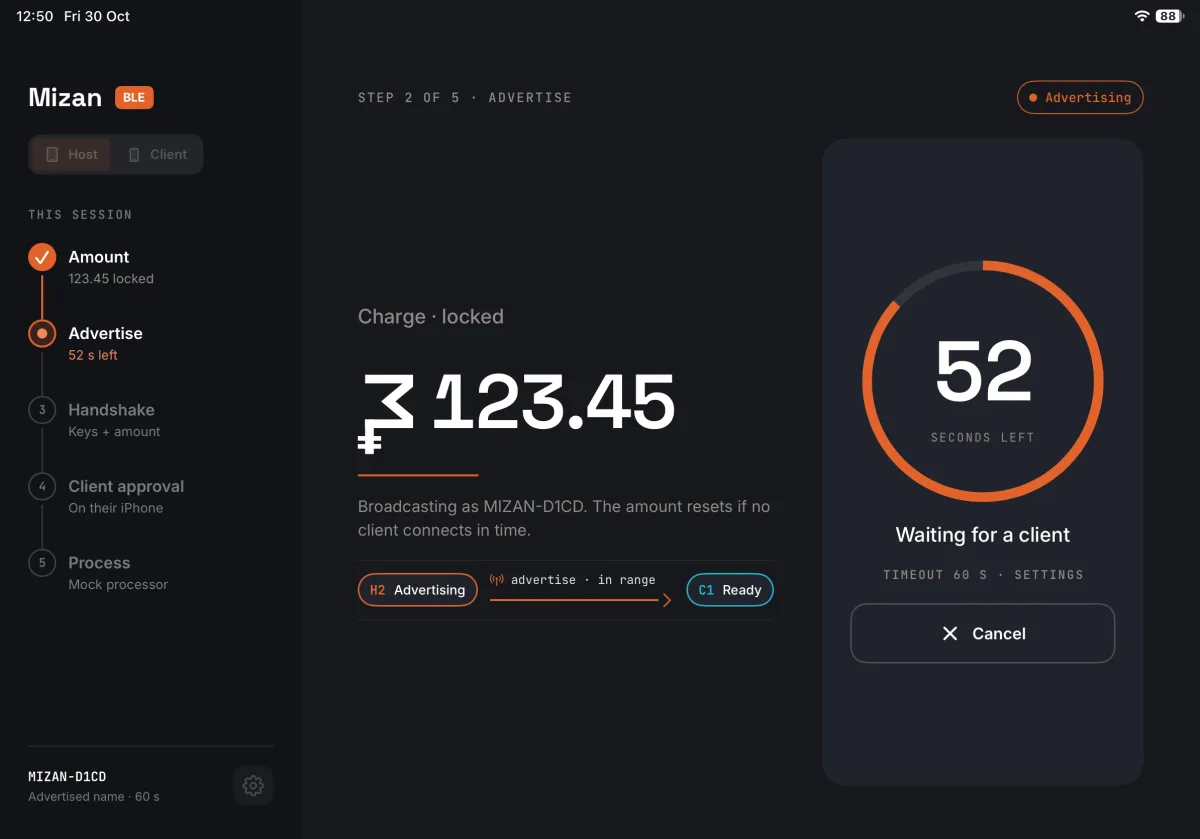
The host is an iPad at the till. The operator types an amount and locks it, and the iPad starts advertising it with a countdown, 60 seconds by default.
The client is the payer's iPhone. It finds the nearest host, and when the payer taps Start, it connects, shows the amount and asks them to confirm or decline. On a confirm, the operator picks the mock outcome, success or failure, and both screens show it.
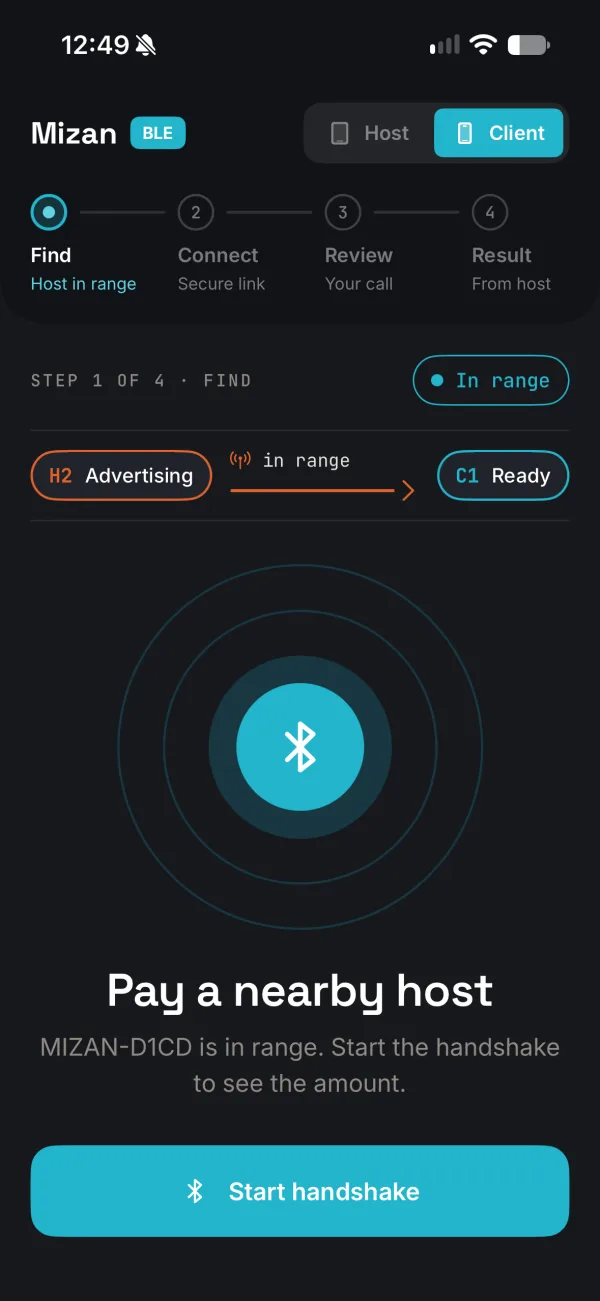
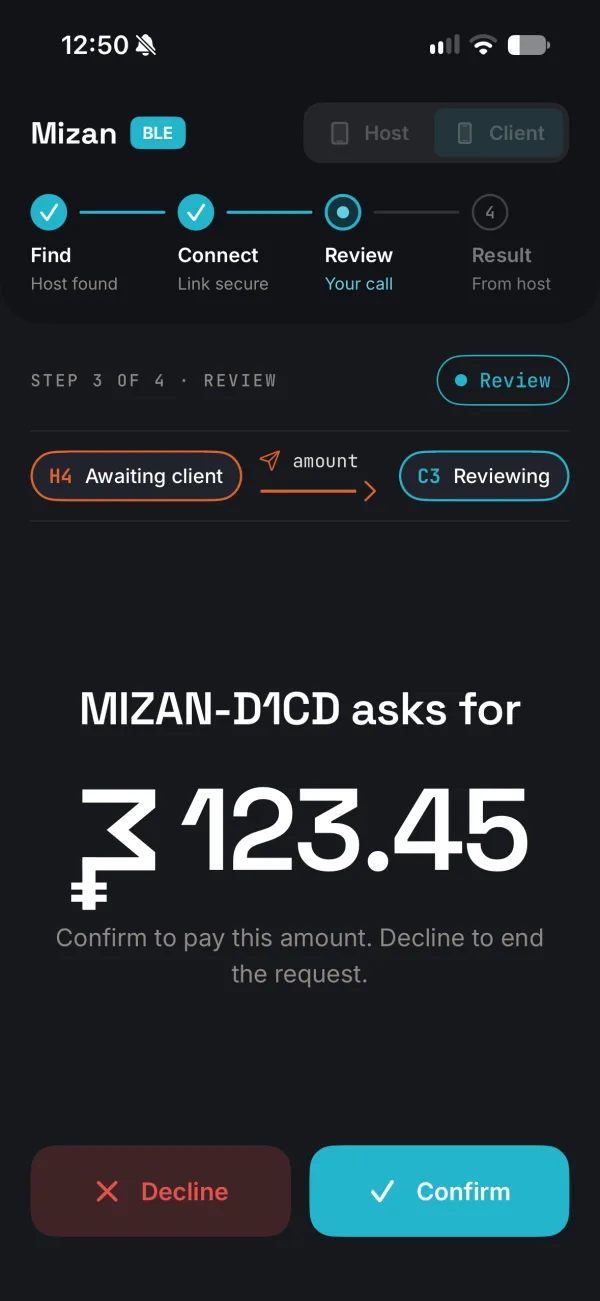
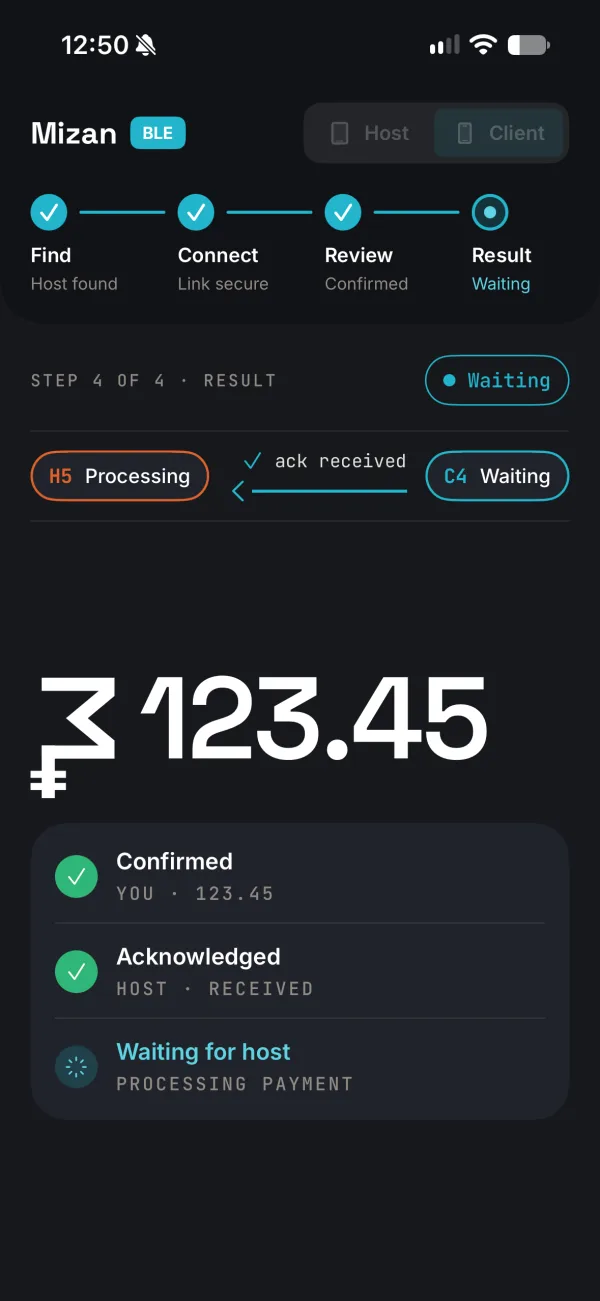
Either device can take either role: an iPad launches as host and an iPhone as client, and a switch in the header changes it between payments.
Who is the peripheral
Bluetooth LE has two roles. A peripheral advertises and serves data; a central scans, connects and reads or writes. The till is the natural peripheral: it stays put and announces itself. The phone is the central: it looks around, picks one, and starts the conversation.
So the iPad serves one Mizan service and advertises its UUID with the till's name, MIZAN- and four hex digits. The iPhone scans for that UUID only, so it never sees the headphones and watches nearby.
Four characteristics
The whole transaction runs through four characteristics of that one service:
| Characteristic | Properties | Carries |
|---|---|---|
| Session | read | the host's public key and a session id |
| Client key | write | the client's public key |
| To client | notify | the amount, the acknowledgement, the result, or an end on cancel |
| To host | write | the payer's decision |
One payment goes like this:
- The operator locks an amount. The host makes a fresh key pair and session id, serves the service and advertises. Its countdown starts.
- The payer taps Start. The phone connects, subscribes to To client and reads Session.
- The phone writes its own public key to Client key. Both sides now derive the same session key. The host stops advertising, sends the amount, sealed, on To client, and stops its countdown.
- The phone opens the amount and shows it. The payer's decision goes back, sealed, on To host, and the host acknowledges it.
- On a confirm, the operator picks the outcome; the host sends the result. The phone disconnects, and the host removes the service.
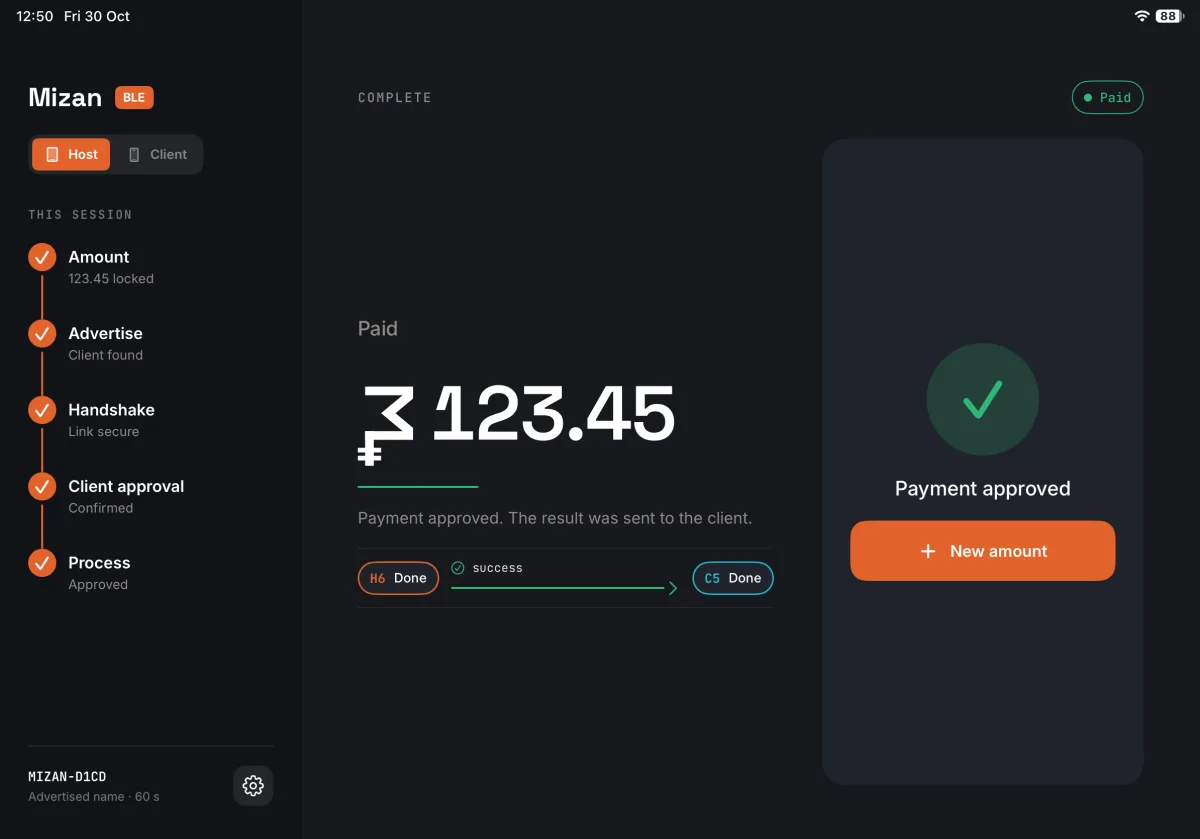
On a real iPad and iPhone, from connecting to the amount on screen takes 1.1 to 1.3 seconds.
Nothing in the clear
Every transaction makes fresh P-256 key pairs on both sides. The two run ECDH and derive a key with HKDF-SHA256, salted with the session id, and every message after that is sealed with AES-GCM. The sealed data is bound to the session id, the message type and a counter per direction, so a message replayed, or carried into another transaction, is refused. The largest message, the amount, is 41 bytes, small enough to cross in one write without fragments. All of it is CryptoKit; there is no third-party crypto.
The key keeps out a listener, not a fake till: any device can advertise as a host. A later version could show the same four digits, derived from the shared key, on both screens for the payer to compare, the way Bluetooth pairing does.
Try it
The code is at github.com/igor1309/mizan-ble, MIT-licensed. The tests run with swift test on a Mac; the app needs a real iPad and iPhone, since the simulator has no Bluetooth. A rehearsal build plays the other side from a settings file, so the simulator can run every payment too.
The next post is about the part that took the most specifying: every way a transaction can end, and the state machines that make each one show up on both screens.